
WordPress, built to be edited and handed over
WordPress Development Servicesthemes, plugins, stores and care, chosen on evidence
WordPress development services cover everything involved in building and running a site on WordPress: custom and block themes, plugins, WooCommerce stores, headless and multisite set-ups, migrations and redesigns, performance and security work, and ongoing maintenance.
Read more
A buyer’s guide: when a page builder is enough, which WordPress and PHP versions matter in 2026, how plugins are vetted, what moves the price, and where WordPress is the wrong tool.
- 7+Years in digital marketing
- 120+Brands served
- 55+Team members
- 250+Projects delivered
- 100+Certifications held
Why The Adroit
A site you can run without us
A well-run project leaves you with everything needed to run the site without us: the code, documentation, accounts and a plain-language guide for editors.
We say when WordPress is the wrong tool
Outside that zone it gets awkward and sometimes expensive. We say so before a proposal, not after.
Every step ends in something to review
Progress is reported monthly, and scope or cost changes are raised before work continues.
A quote after discovery
We quote after discovery, once the content model, integrations and approach are known.
Security without guarantees
These controls reduce risk; none is a guarantee, and anyone promising a site cannot be hacked is selling something.
A dedicated account manager
One person to talk to, with a maximum 12-hour turnaround time (TAT).
What we build
Twelve work packages, usually scoped in combination. These six cover most projects.
Custom and block themes
A theme written for your design, carrying only the templates and scripts the site uses. Editors fill structured fields.
All twelve work packagesPlugin development
Custom plugins for business logic that should outlive any theme: post types, workflows, imports and integrations.
How plugins are vettedWooCommerce
Catalogues, checkout, payments, shipping, tax invoices and B2B price lists, with extensions chosen one by one.
Is WooCommerce enough?Headless WordPress
WordPress as editing back end and content API (REST or WPGraphQL) with a Next.js or React front end.
Builder, theme or headless?Migrations and redesigns
Moves from Wix, Shopify, Drupal, Joomla or older WordPress, and redesigns that must keep search visibility.
Moving without losing rankingsMaintenance and support
Updates, backups with restore tests, monitoring, small fixes and a monthly report.
Security and maintenance
How a project runs
Eight steps, each ending in something you can review, shown here in four groups.
Discovery and architecture
We agree what the site must do, who edits it, which systems it touches and how success is measured. We map pages, content types, URLs and redirects, and decide the build approach from the table above.
Design system and build
Wireframes become components and patterns, with colours, type and spacing held in tokens. Theme, plugins and integrations are built in version control on a private staging site.
Content, integrations and QA
Content is migrated or loaded, forms and CRM connections are wired and tested. Device and browser tests, accessibility checks, performance against budgets and security checks.
Launch, hand-over and care
Redirects, DNS, analytics and monitoring are switched on with a rollback plan ready. Documentation and editor training, then maintenance with a monthly report if you choose it.
One head office, teams in more cities
Head office is in Navi Mumbai, with teams in Mumbai, Bangalore, Delhi. Projects run remotely; each page below covers the work that location sees most.
Send the current site, or just the goal. We will tell you whether a builder, a custom theme, a block theme or something else makes sense, and what it is likely to involve.
Awards and Recognition





WordPress development services are the design, build, extension and upkeep of websites and stores on WordPress: custom or block themes, plugins, WooCommerce, headless and multisite set-ups, migrations, speed and security work. WordPress runs 40.2% of all websites (W3Techs, checked Oct 2026), so the real question is which build approach fits. Head office is in Navi Mumbai, with teams in Mumbai, Bangalore, Delhi.
What we build
What do WordPress development services include?
A WordPress project is rarely one thing. A marketing site, a large content archive and a B2B ordering portal run on the same core software yet need different decisions on theme architecture, plugins, hosting and governance. These are the twelve work packages we scope, usually in combination.
Custom themes
A theme written for your design, carrying only the templates and scripts the site uses. Editors fill structured fields.
You get: Theme code in a repository, style guide, template map
Block themes and patterns
Design choices held in theme.json plus block patterns, so editors assemble pages from approved parts.
You get: theme.json, pattern library, editor guide
Plugin development
Custom plugins for business logic that should outlive any theme: post types, workflows, imports and integrations.
You get: Plugin, inline documentation, test notes
WooCommerce
Catalogues, checkout, payments, shipping, tax invoices and B2B price lists, with extensions chosen one by one.
You get: Store configuration, extension list, payment test log
Headless WordPress
WordPress as editing back end and content API (REST or WPGraphQL) with a Next.js or React front end.
You get: API contract, front-end app, preview set-up
Multisite networks
Related sites sharing users, themes and governance: regions, departments, franchises, institution groups.
You get: Network architecture, role model, shared theme
Migrations and redesigns
Moves from Wix, Shopify, Drupal, Joomla or older WordPress, and redesigns that must keep search visibility.
You get: Redirect map, URL inventory, cutover plan
Performance engineering
Core Web Vitals audits, caching layers, image, font and script budgets, database clean-up.
You get: Before and after report, budget sheet
Security hardening
Least-privilege roles, two-factor sign-in, firewall rules, hardened permissions and tested backups, applied in the build.
You get: Hardening checklist, access register
Maintenance and support
Updates, backups with restore tests, monitoring, small fixes and a monthly report.
You get: Monthly report, change log
Integrations and APIs
CRM, ERP, payment and analytics connections through REST endpoints, webhooks and vendor APIs.
You get: Integration map, field mapping, error handling
Accessibility
A WCAG 2.2 AA target built into components and forms, checked with tools and by hand.
You get: Audit notes, fix list
If the real need is a bespoke application rather than a content or commerce site, our PHP development services and web development services cover Laravel, Symfony and other stacks.
Versions and requirements
Which WordPress and PHP versions should a site run in 2026?
Run the current WordPress release on a supported PHP version, with HTTPS, on a host that lets you update both. WordPress.org states that only the latest version is officially supported, so leaving a site as it is is a security decision.
| Fact | Position as of 2 Oct 2026 | Source (checked Oct 2026) |
|---|---|---|
| Latest release | WordPress 7.1.2, released 22 Sep 2026 as a security fix | wordpress.org/download/releases |
| Recent majors | 7.1 on 19 Aug 2026; 7.0 on 20 May 2026 | wordpress.org release announcements |
| Support policy | Only the latest version is officially supported; older branches receive backported fixes as a courtesy | wordpress.org/about/security |
| Next major | 7.2 is proposed for 9 Dec 2026 (a proposed date, not final) | make.wordpress.org/core |
| Recommended server | PHP 8.3 or newer, MariaDB 10.11+ or MySQL 8.0+, HTTPS | wordpress.org/about/requirements |
| Market position | WordPress is on 40.2% of all websites and 58.7% of sites with a known CMS | W3Techs |
| Ecosystem | Elementor is on 31.5% of WordPress sites; WooCommerce on 19.8% | W3Techs |
PHP support dates that matter to WordPress owners
Dates from php.net/supported-versions.php (checked Oct 2026).
| PHP version | Support status | What it means for a WordPress site |
|---|---|---|
| PHP 8.5 | Released 20 Nov 2025; active support to 31 Dec 2027, security to 31 Dec 2029 | Newest option. Move only after theme and every plugin are tested on it. |
| PHP 8.4 | Active support to 31 Dec 2026, security to 31 Dec 2028 | Sensible target for new builds with maintained plugins. |
| PHP 8.3 | Security fixes to 31 Dec 2027 | WordPress.org's recommended minimum; a safe floor for hosting. |
| PHP 8.2 | Security-only until 31 Dec 2026 | Plan the move now; support ends this year. |
| PHP 8.1 and older | End of life | No security fixes. Upgrade before anything else on the site. |
Practical rule: ask your host for PHP 8.3 or newer, keep a staging copy, and test every upgrade there first. For a deeper view of PHP itself, see our PHP development services page.
Process
How does a WordPress project run, step by step?
Eight steps, each ending in something you can review. Progress is reported monthly, and scope or cost changes are raised before work continues.
Discovery and goals
We agree what the site must do, who edits it, which systems it touches and how success is measured.
Deliverables: Brief, success measures, risk list
Content and architecture
We map pages, content types, URLs and redirects, and decide the build approach from the table above.
Deliverables: Sitemap, content model, URL inventory
Design system
Wireframes become components and patterns, with colours, type and spacing held in tokens.
Deliverables: Designs, pattern list, theme.json plan
Build on staging
Theme, plugins and integrations are built in version control on a private staging site.
Deliverables: Staging site, repository, plugin register
Content and integrations
Content is migrated or loaded, forms and CRM connections are wired and tested.
Deliverables: Populated site, integration test log
Quality assurance
Device and browser tests, accessibility checks, performance against budgets and security checks.
Deliverables: QA report, fix list, performance results
Launch
Redirects, DNS, analytics and monitoring are switched on with a rollback plan ready.
Deliverables: Launch checklist, post-launch review
Hand-over and care
Documentation and editor training, then maintenance with a monthly report if you choose it.
Deliverables: Guides, access register, monthly report
Want this for your business? Talk to Us
Questions
FAQs
A WordPress development company designs, builds, extends and maintains sites on WordPress. That covers custom or block themes, plugins, WooCommerce stores, headless and multisite set-ups, migrations from other platforms, performance and security work, and ongoing updates. It also advises on what not to build, such as when a page builder is enough or another technology fits better. Good agencies hand over documentation and access.
WordPress.org provides the free, open-source software that you install on your own hosting. You control the code, plugins, themes and data, and you are responsible for updates, backups and security. WordPress.com is a hosted service that runs WordPress for you, with plans that limit which plugins and code changes are allowed. Custom development, WooCommerce and integrations nearly always use the self-hosted version.
Avoid WordPress when the workflow is the product, such as booking engines with complex rules, financial ledgers or collaborative real-time tools; when you hold very large, highly relational datasets; or when you want a native mobile app. A rarely changing one-pager may suit static HTML, which has less to patch and costs less to host. We will say so honestly during discovery rather than after a proposal.
It depends on scope, so we quote after discovery rather than guess. The main drivers are the number of unique templates, the content model, custom functionality, commerce rules, migration volume, integrations, performance and accessibility targets, languages, and hosting requirements. A site built from a few reusable patterns costs far less than one with many bespoke layouts. The cost table on this page shows what pushes the price up or down.
Typical ranges, which depend on scope and how quickly content and approvals arrive, are about 4 to 8 weeks for a focused marketing site, 8 to 14 weeks for a content site with custom post types and integrations, 8 to 16 weeks for a WooCommerce store, and 12 to 24 weeks for a headless build. Late content is the most common cause of delay.
There is no magic number. Each plugin adds an update to test, a vendor to trust and code on every request, so each needs a clear purpose. We check when it was last updated, active installs, support responsiveness, vulnerability history, overlap with core or other plugins, and how much code it loads. We keep a register of every plugin.
We can limit avoidable losses, but nobody can promise rankings will not move after a change. A careful migration crawls the old site, builds a one-to-one 301 redirect map, keeps titles, canonicals and structured data, tests forms and tracking, handles DNS and email cutover, and blocks staging from search. Afterwards we check Search Console for errors.
We plan to Google's good Core Web Vitals thresholds at the 75th percentile of real visits: Largest Contentful Paint 2.5 seconds or less, Interaction to Next Paint 200 milliseconds or less, and Cumulative Layout Shift 0.1 or less. Field data from Search Console or PageSpeed Insights decides pass or fail, while lab tools help find causes. We fix causes, not scores.
More questions (6)
We apply least-privilege roles, two-factor sign-in for admins, firewall and rate limiting, hardened file permissions, vetted plugins, staged updates and tested backups. These reduce risk but cannot guarantee safety. If your site is already hacked, contain it, restore a clean backup, change every password, key and salt, find the entry point (often an outdated plugin), then update everything and check search and email warnings.
A good plan typically covers core, theme and plugin updates, backups with restore tests, uptime and security monitoring, small fixes, and a monthly report of what changed. Check what is excluded, such as new features, emergency clean-up or third-party licence fees. What is included in our plans is set out in the proposal, and we report monthly.
Go headless when the front end is app-like, serves several channels, or is owned by a JavaScript team; accept that you will run two systems and rebuild previews and some plugin features. Choose Multisite when you manage related sites that share users, themes and governance, such as regions or departments. For a single marketing site, a standard install is simpler.
WordPress is open source, and the aim of a good project is that you can run the site without the agency. Our recommendation is that your domain, hosting account and plugin licences are in your name. The hand-over list, which typically includes code in a repository, documentation, admin accounts and editor guidance, is set out in the proposal so there are no surprises.
Yes, for the right projects. W3Techs reports WordPress on 40.2% of all websites and 58.7% of sites with a known CMS (checked Oct 2026), and WordPress 7.1.2 arrived on 22 Sep 2026. It suits content, marketing and commerce sites that several people edit. It is a weaker choice when custom application logic or real-time features are the core of the product.
Use a page builder when non-developers must rearrange layouts often and the design is fairly standard. Choose a custom or block theme when content is repeatable, the design is strict, or performance and long-term maintenance matter most. Elementor is on 31.5% of WordPress sites (W3Techs, checked Oct 2026), but builders tie pages to the builder. We say so plainly when the cheaper option is enough.
Read the full guide
14 sections with the detail behind this page
Read the full guide
14 sections with the detail behind this pageThe detail behind this page, section by section. Open any heading to read it; everything stays on this page.
Page builder, custom theme, block theme or headless: which one fits?
Page builder, custom theme, block theme or headless: which one fits?
Decision guide
This is one of the costliest decisions to reverse in a WordPress project. Elementor is used on 31.5% of WordPress sites (W3Techs, checked Oct 2026), so a page builder is a defensible choice, just not the only one.
| Approach | Choose it when | Editing experience | Speed and control | Main risk |
|---|---|---|---|---|
| Page builder (Elementor, Divi-style) | Non-developers must rearrange pages often, designs are fairly standard, and budget is tight. | Visual drag and drop with the widest layout freedom. | Heavier markup and scripts by default; needs disciplined settings and caching. | Pages become tied to the builder, so leaving it later means rebuilding them. |
| Classic custom theme with structured fields | Content is repeatable, the design is strict, and editors should fill fields, not rearrange layouts. | Safe and simple: editors cannot break the design. | Highest control over HTML, CSS and scripts. | New layouts need a developer. |
| Block theme with patterns | Editors need layout freedom inside a defined design system, using core features over add-ons. | Block editor with approved patterns and style controls. | Lean when core blocks do most of the work. | Needs pattern governance and training; some older plugins assume classic themes. |
| Headless (WordPress plus Next.js or React) | The front end is app-like, serves several channels, or is owned by a JavaScript team. | Familiar WordPress admin; live preview must be built. | Static or edge rendering is possible; delivery is yours to design. | Two systems to host; plugins that print front-end output do not carry over. |
Question 1: who changes layouts?
If marketing rebuilds landing pages weekly without a developer, a builder or pattern-based block theme earns its place. If not, structured fields are cheaper and safer.
Question 2: how repeatable is the content?
Dozens of similar items (properties, doctors, courses) call for custom post types. A few one-off pages favour patterns or a builder.
Question 3: who owns the front end?
A team that ships React apps may prefer headless. A small marketing team usually should not carry that second system.
We will tell you if the cheaper option is enough. Hybrids are common: a block theme for most pages and a few custom blocks for complex components. If search visibility drives the decision, read SEO and AI-search readiness first.
When is WordPress not the right tool?
When is WordPress not the right tool?
Honest limits
WordPress handles publishing, marketing sites and conventional commerce well. Outside that zone it gets awkward and sometimes expensive. We say so before a proposal, not after.
Usually a poor fit
- Application logic is the product. Booking engines with complex availability rules, ledgers, underwriting or anything where the workflow is the value. Use a framework such as Laravel or Rails; see PHP development and Ruby on Rails.
- Real-time and collaborative features. Live dashboards, chat and multi-user editing at the centre of the product are better served by purpose-built back ends.
- Heavy relational data. Millions of interlinked records with complex reporting outgrow posts and metadata tables.
- Native mobile experiences. A WordPress site can feed an app through its API, but the app itself is a separate build; see mobile app development.
Usually a good fit
- Marketing and brand sites that several people edit.
- Content-heavy sites, blogs and knowledge bases.
- Stores with a normal catalogue and common payment gateways.
- Membership and directory sites built from maintained plugins.
- Sites handed to an in-house team or another vendor, because WordPress skills are widely available.
A one-page brochure that changes twice a year may not need a CMS at all. A static page is cheaper to run and has less to patch.
How do you vet a WordPress plugin, and how many is too many?
How do you vet a WordPress plugin, and how many is too many?
Plugins
Every plugin is code you did not write, with access to your database. The useful question is not a number but a justification: what does it do, who maintains it, and could core or thirty lines of code do the same?
| Check | What we look at | Red flag |
|---|---|---|
| Last updated | Last release date and tested-up-to WordPress version. | Long gaps, or lagging behind each WordPress major. |
| Active installs and age | How widely it is used and how long it has been maintained. | New plugin, few installs, security-sensitive job. |
| Support responsiveness | Whether the author answers and fixes bugs. | Unanswered threads. |
| Vulnerability history | Public advisories (Patchstack, WPScan) and how fast fixes followed. | Repeated serious issues or unpatched flaws. |
| Overlap | Whether core, the theme, or another plugin already does the job. | Three plugins, three slider engines. |
| Code and load | Scripts, styles and queries added to every page; nonce and capability checks. | Site-wide assets for a one-page feature. |
| Licence and update channel | Update source and who holds the licence. | Nulled copies; licence in a developer's personal account. |
So, how many plugins is too many?
There is no safe number, only a cost per plugin: another update to test, another vendor to trust, more code on every request. A focused marketing site often runs well on a handful; a store uses more, which is fine if each has a clear job and an owner.
What it looks like when there are too many
Updates nobody dares run, two plugins fighting over one feature, and pages loading scripts for features they do not show. We keep a plugin register for every build listing purpose, vendor, licence holder and removal plan.
Buy or build?
| Situation | Use a maintained plugin | Build a custom plugin |
|---|---|---|
| Standard need (SEO, forms, caching, backups) | Yes. Mature plugins are tested by many sites. | Rarely worth it. |
| Rule unique to you (pricing, approvals, ERP import) | Only if it matches without workarounds. | Yes. One-job code is easier to maintain. |
| Needs to survive a theme change | Either. | Yes, as a plugin, never inside the theme. |
How fast should a WordPress site be, and how is it measured?
How fast should a WordPress site be, and how is it measured?
Performance
We plan to Google's “good” Core Web Vitals thresholds, assessed at the 75th percentile of real visits. Field data (Search Console, PageSpeed Insights) decides whether you pass; lab tests such as Lighthouse help find causes.
Thresholds: Google Core Web Vitals documentation, checked Oct 2026. Mobile and desktop are reported separately, so we test both.
Method we follow
- Baseline first. Record field and lab results for the key templates (home, article or product, checkout) before touching anything.
- Fix the cause, not the score. Slow servers, big images, blocking scripts and heavy plugins need different remedies.
- Set budgets. Agree limits for images, fonts and scripts so the site does not drift.
- Re-measure. Field data takes weeks to update, so we report lab results at hand-over and field results monthly.
Caching layers and what each does
| Layer | What it stores | Notes for WordPress |
|---|---|---|
| Browser cache | Static files on the visitor's device | Long cache lifetimes with versioned file names. |
| CDN or edge | Static files, sometimes full pages, close to the visitor | Check that logged-in users, carts and checkout bypass page caching. |
| Full-page cache | Finished HTML for anonymous visitors | Biggest single win for content sites; exclude cart, checkout and account pages. |
| Object cache (Redis or Memcached) | Results of repeated database lookups | Helps logged-in, WooCommerce and large admin workloads. |
| OPcache | Compiled PHP code | Server setting; confirm it is on and sized sensibly. |
| Database | Queries and tables | Fix slow queries and autoloaded options; do not cache around a bad query. |
Working budgets for images, fonts and scripts
Starting rules, tuned per project, not guarantees.
| Budget item | Starting rule we apply | Why |
|---|---|---|
| Main image (often the LCP element) | One image, modern format, sized to its box, not lazy-loaded | Lazy-loading it delays it. |
| Images below the fold | Lazy-loaded with width and height set | Reserved space prevents layout shift. |
| Fonts | Few families and weights, self-hosted | Fewer requests, less shift. |
| JavaScript | Loaded only where used; third-party tags reviewed one by one | Scripts usually cause poor interaction scores. |
How do you keep a WordPress site secure?
How do you keep a WordPress site secure?
Security
By removing easy routes in, limiting what a stolen account can do, and recovering quickly. These controls reduce risk; none is a guarantee, and anyone promising a site cannot be hacked is selling something.
| Control | What we do in a build | Why it matters |
|---|---|---|
| Least-privilege roles | Editors get only the capabilities they need; few administrators. | A stolen editor login should not mean full control. |
| Two-factor sign-in | Required for administrators, offered to every user. | Stolen or guessed passwords are a common way in. |
| Firewall and rate limiting | A web application firewall at host or edge, with login and request limits. | Cuts brute-force and bot traffic before WordPress runs. |
| Hardened files | Restrictive permissions and dashboard file editing disabled. | A compromised admin cannot simply edit code. |
| Limited, vetted plugins | Only plugins that pass the checks above, with a register and removal plan. | Plugins are a frequent source of known vulnerabilities. |
| Staged updates | Tested on staging for critical sites, then applied to production. | Security fixes should not wait for fear of breakage. |
| Tested backups | Off-site copies and periodic restore tests. | A backup you have never restored is a hope, not a control. |
| Secrets and access hygiene | Keys outside the repository, unique logins, access removed when people leave. | Shared passwords make incidents impossible to trace. |
What a good maintenance plan includes
- Core, theme and plugin updates, with a view on which are urgent.
- Backups with restore tests.
- Uptime and security monitoring.
- Small fixes and content help within an agreed allowance.
- A periodic review of user accounts, so people who left lose access.
- Advice on host-level issues such as PHP version and HTTPS certificates.
- A monthly report of what changed and what needs attention.
Note: this is what to expect from any good plan. What is included in our plans is set out in the proposal.
If your site is already hacked
- Contain. Put the site in maintenance mode and take a snapshot for evidence.
- Restore. Return to a backup from before the compromise, then update everything.
- Rotate. Change all passwords, database credentials, API keys and salts, and remove unknown users.
- Find the way in. Check logs and outdated plugins, or the problem returns.
- Re-check search and email. Ask Google to review warnings; check that your domain is not on spam lists.
Can you move my site to WordPress without losing rankings?
Can you move my site to WordPress without losing rankings?
Migration
We can limit avoidable loss, but no one can promise rankings will not move, because search engines re-evaluate any changed site. A careful migration removes the self-inflicted damage.
| Risk | What goes wrong | How we handle it |
|---|---|---|
| URL parity and redirects | Old addresses return errors; rankings and backlinks are lost. | Crawl the old site, build a one-to-one 301 map, test on staging, check Search Console after launch. |
| Serialized data | A careless domain search-and-replace corrupts serialized settings. | Use serialization-aware tools such as WP-CLI search-replace on a copy first. |
| DNS and email cutover | Email stops when DNS records change. | Lower TTL early, document MX, SPF and DKIM records, verify mail after cutover. |
| Forms and analytics | Leads go to the old inbox; tracking is missing or doubled. | Test every form, re-tag analytics and consent, compare counts. |
| Media | Broken paths, oversized images, lost alt text. | Move media into the library, regenerate sizes, keep alt text. |
| SEO metadata and indexing | Titles, canonicals and schema vanish; or staging gets indexed. | Export metadata, map it, block staging from search, re-submit sitemaps. |
| Rollback | A failed launch has no way back. | Keep the old site intact until the new one is verified. |
The same checklist applies whichever platform you leave. Where search traffic matters, we pair the move with our SEO services so redirects, metadata and tracking are reviewed by the same people.
Is WooCommerce good enough for a growing store?
Is WooCommerce good enough for a growing store?
WooCommerce
For many stores, yes. WooCommerce runs on 19.8% of WordPress sites (W3Techs, checked Oct 2026) and you own the data. It asks more than a hosted store: you manage hosting, updates and security.
What we plan for
- Extensions chosen deliberately. One job per extension, tested together on staging.
- Dynamic pages. Cart, checkout and account pages cannot use the same full-page caching as articles, so they are excluded and tuned separately.
- Compatibility before upgrades. Before WooCommerce or PHP updates, we check payment, shipping and order-related extensions on staging.
- Checkout testing. Real transactions, failed payments, refunds, tax and emails, on mobile first.
When another platform may be simpler
If you want a standard store with no hosting or plugin management, a hosted commerce platform can be less work. Choose WooCommerce when content and commerce live together, when you need custom rules, or when ownership and flexibility outweigh convenience.
A useful test: if nobody can be named to handle updates, backups and payment-extension changes, budget for a maintenance plan or pick a hosted platform.
| Store need | Usually covered by | Notes |
|---|---|---|
| Catalogue, variants, basic checkout | WooCommerce core | Fine for most small and mid-sized catalogues. |
| Local payment gateways, UPI, cards | Gateway extension from the provider | Test live-mode transactions, refunds and failures. |
| GST-friendly invoices | Extension or small custom code | Invoice fields and tax display depend on your accountant's requirements. |
| Wholesale price lists, minimum quantities | Extension, sometimes custom plugin | Covered in depth on our Navi Mumbai page. |
| ERP, shipping or CRM sync | Integration plugin or custom connector | Plan for failed syncs and retries. |
How much does a custom WordPress website cost?
How much does a custom WordPress website cost?
Cost and engagement
It depends on scope, and a price before discovery is a guess. We quote after discovery, once the content model, integrations and approach are known. The table shows what moves the number, so two quotes can be compared fairly.
| Cost driver | Pushes cost up | Keeps cost down |
|---|---|---|
| Design and templates | Many unique layouts and custom animation. | A small set of reusable patterns. |
| Content model | Many content types, relationships and custom fields. | A few well-defined post types. |
| Functionality | Custom plugins, calculators, member areas, workflows. | Mature plugins that match the need without workarounds. |
| Commerce | Subscriptions, B2B rules, ERP sync. | Standard catalogue and a common gateway. |
| Migration volume | Thousands of pages, many redirects. | Clean exports and a pruned content list. |
| Integrations | Several systems with two-way sync, or multiple languages. | One-way lead push to a single CRM. |
| Performance and accessibility targets | Strict budgets across many templates. | Targets set early so they shape the build. |
| Hosting and compliance | High availability, data residency. | Managed WordPress hosting. |
Engagement models
General descriptions; terms for a project are agreed in the proposal.
| Model | How it works | Fits when | Watch out for |
|---|---|---|---|
| Fixed scope | Agreed deliverables for an agreed fee. | Requirements are clear and unlikely to change. | Changes need a change request. |
| Time and material | You pay for the effort used, within an agreed budget range. | Scope will evolve. | Needs active prioritisation on your side. |
| Dedicated team or retainer | Set capacity over months. | Continuing roadmap, maintenance and growth work. | Value depends on a steady backlog. |
How long does a WordPress build take?
Typical industry ranges, not promises.
| Project type | Typical range (scope-dependent) | What stretches it |
|---|---|---|
| Focused marketing site on a custom or block theme | About 4 to 8 weeks | Late content, many stakeholders. |
| Content site with custom post types and integrations | About 8 to 14 weeks | Archive migration, CRM work. |
| WooCommerce store | About 8 to 16 weeks | Custom pricing, ERP sync. |
| Headless build | About 12 to 24 weeks | Preview and two codebases. |
| Migration of an existing mid-sized site | About 3 to 8 weeks | Redirects, content quality, tracking. |
Is WordPress SEO-friendly, and is it ready for AI search?
Is WordPress SEO-friendly, and is it ready for AI search?
SEO and AI search
WordPress gives you clean permalinks and editable titles, but does not do SEO by itself, and a poor theme or too many plugins can hurt it. There is no special file or trick for AI-generated answers; the same fundamentals apply: clear answers, accurate structured data, crawlable HTML and content worth citing.
| Element | What we build | Why |
|---|---|---|
| One H1 and logical headings | Each template has a single H1 and ordered H2 and H3 levels. | Helps readers and search and answer engines parse the page. |
| Answer-first copy | A short, quotable answer near the top of key pages. | Easy for people and AI systems to lift accurately. |
| Structured data | Organization, Article, Product, BreadcrumbList or FAQ markup that matches visible content. | Clarifies meaning; markup that does not match the page can be ignored. |
| Crawlable HTML | Content present in the HTML, not injected only by scripts. | Crawlers and AI fetchers read HTML first. |
| Clean URLs and redirects | Stable permalinks, canonical tags, XML sitemaps, tidy redirects. | Avoids duplicate and lost pages. |
| Speed and stability | Core Web Vitals targets built into the theme. | A slow page loses visitors before search matters. |
Content strategy and link building are separate from development; see our SEO services and GEO and AI search optimisation.
What accessibility standard do you build to?
What accessibility standard do you build to?
Accessibility
Our target is WCAG 2.2 level AA. It is a target we design and test for, not a certification claim, because automated tools find only part of the problems and real conformance depends on content added after launch.
Accessibility is cheapest when it shapes components from the start.
What gets checked
- Keyboard use of menus, forms, sliders and modals.
- Visible focus and a skip link.
- Colour contrast in text, buttons and states.
- Alt text, captions and form labels with clear errors.
- Target size and the new WCAG 2.2 criteria, such as accessible authentication and consistent help.
- Screen-reader spot checks on key journeys.
Do I own the code, theme and content, and can I leave?
Do I own the code, theme and content, and can I leave?
Ownership
You should be able to. WordPress is open source, and a well-run project leaves you with everything needed to run the site without us: the code, documentation, accounts and a plain-language guide for editors. The exact hand-over list is set out in the proposal.
Our recommendation is that the domain, hosting account and plugin licences are registered in your name from day one, so nothing depends on a vendor's personal login.
Hand-over checklist, as typically agreed
- Theme and custom plugin code in a repository you can access.
- Documentation of structure, patterns and integrations.
- Admin accounts, hosting, DNS and licence details transferred to you.
- Plugin register with vendors and renewal dates.
- Editor training or a recorded walkthrough.
- Backup and restore instructions.
Which industries do you build WordPress sites for?
Which industries do you build WordPress sites for?
Industries
The Adroit has worked with 120+ brands, and the list below shows the patterns we see most. See the work we have published and our clients page.
Education and institutions
Catalogues, department networks, publishing.
Healthcare
Directories, appointment enquiries, accessible content.
Real estate
Listing templates, enquiry routing, map search.
Manufacturing and B2B
Catalogues, downloads, quote requests.
Media and publishing
Editorial workflows, large archives.
Professional services
Service pages, insights hubs, lead capture.
Retail and D2C
WooCommerce stores, campaign pages.
Associations and nonprofits
Memberships, events, donations.
Software and SaaS
Marketing sites, documentation, headless.
Not sure which approach fits?
Not sure which approach fits?
Send the current site, or just the goal. We will tell you whether a builder, a custom theme, a block theme or something else makes sense, and what it is likely to involve.
Where is the WordPress team based?
Where is the WordPress team based?
Locations
Head office is in Navi Mumbai, with teams in Mumbai, Bangalore, Delhi. Projects run remotely; each page below covers the work that location sees most.
WordPress development in Navi Mumbai
Catalogue sites, quote forms and B2B ordering for manufacturers, exporters, logistics and healthcare businesses; the engineering team works from here.
View the Navi Mumbai page → Team in MumbaiWordPress development in Mumbai
Content-heavy sites for media, finance, real estate and retail brands, with editorial workflows.
View the Mumbai page → Team in BangaloreWordPress development in Bangalore
Headless WordPress, design systems and SaaS marketing sites with performance budgets.
View the Bangalore page → Team in New DelhiWordPress development in New Delhi
Multisite networks, approval workflows and accessible publishing for institutions in Delhi NCR.
View the New Delhi page → Anywhere in IndiaWordPress development in India
Remote-first delivery for any city: migrations, WooCommerce for D2C sellers, maintenance and hand-over.
View the India page →Not sure which approach fits?
Send the current site, or just the goal. We will tell you whether a builder, a custom theme, a block theme or something else makes sense, and what it is likely to involve.
What's More
How Are We Different?
Dedicated Account Manager
SEO Enabled Websites
Responsive Websites
Site Security Upgrades & Maintenance
Website Speed & Performance Optimization
Timely Delivery
Easy to use CMS
Google PSI Score Above 80
Maximum 12 Hours TAT
Secured & Optimised Website Delivery
15 Days Cooling Period
Your Success, Our Reputation
120+ brands have trusted us with their marketing and websites over 7+ years.
Here are some of the clients we have worked with.


























































































Latest and Greatest Posts

The Adroit Reviews
Rated 5.0 from 19 client reviews on Clutch. Read our Clutch profile
Contact Us for More
We've worked with clients of all sizes, all across the World. Starting from enterprises to startups. Let's talk about your project and how we can help provide value to it on Digital.
Work That Works
A selection of recent campaigns, websites, reels and emailers delivered for our clients.
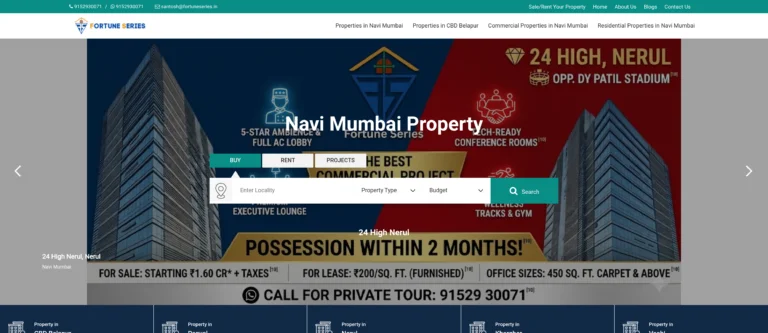 Fortune Series – Website
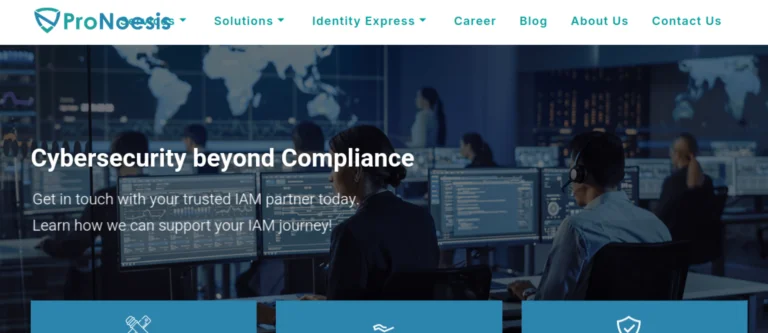 Pronoesis – Website
 Texas Spine and Pain – Website
 Mindvein – Website
 Mario Products – Website
 Spectrum Filtration – Website
 IAA India Chapter – Website
 The Premium Basket – Website
 Lamar World – Website
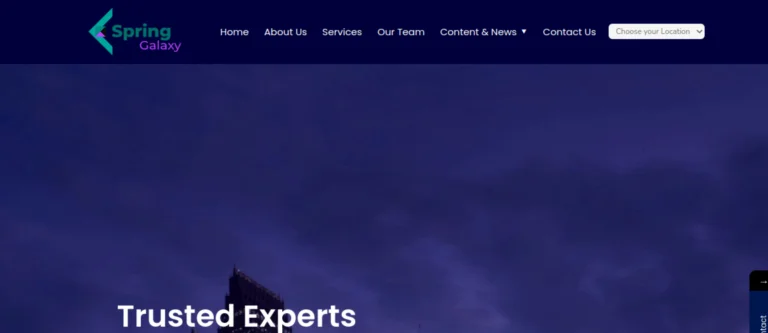 Spring Galaxy – Website
 Excel Wallpapers – Website
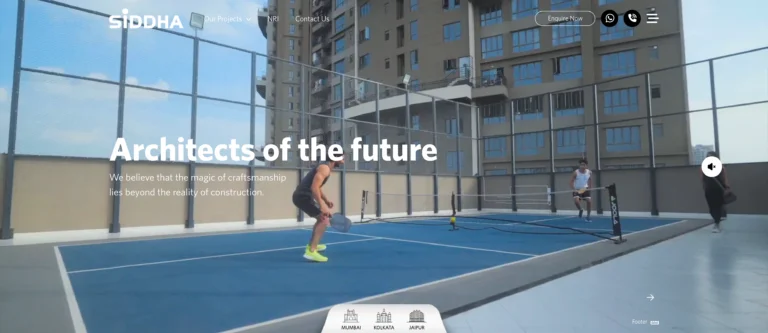 Siddha Group – Website
Related work from our portfolio: