Headless WordPress · WPGraphQL · Next.js
Best WordPress Development Company in Bangalore
We build WordPress for product companies: marketing sites and docs that marketers can edit without a release, design systems delivered as block patterns, and headless builds where WordPress holds the content and a React front end renders it.
Our head office is in Navi Mumbai and we have a team in Bangalore (Bengaluru).
Read more
We also tell you when a plain WordPress theme is the better choice, because it often is.
- 7+Years in digital marketing
- 120+Brands served
- 55+Team members
- 250+Projects delivered
- 100+Certifications held
Why The Adroit
A plain theme when it is better
We also tell you when a plain WordPress theme is the better choice, because it often is.
Headless only when it pays
Headless starts to pay off when a React team already ships your product, when the same content feeds more than one channel, or when the front end needs interactions that a theme makes awkward.
Editors can ship without a release
We build WordPress for product companies: marketing sites and docs that marketers can edit without a release.
Field data, not only lab scores
Lab tools such as Lighthouse help while building, but the thresholds above are judged on field data from real visitors. We report on both in the monthly report once the site is live.
Remote, with a written scope
Projects run remotely: a written scope, demos on a staging link, a shared repository and a monthly progress report.
A dedicated account manager
One person to talk to, with a maximum 12-hour turnaround time (TAT).
What we build for product teams
Monolithic or headless
In a monolithic build WordPress renders the pages itself through a theme. In a headless build WordPress is only the content back end and a separate application renders the site.
Which fits your siteDesign systems as block patterns
Marketing teams ship faster when they assemble pages from approved pieces.
Block patterns and tokensPerformance budgets
A performance budget is a set of limits agreed before design is final, so that a new script or a bigger hero image has to justify itself.
The numbers we hold a build toCaching and the request path
In our builds most visits stop at the first or second layer.
Visitor to databasePreview, testing and analytics
Headless sites lose WordPress's built-in preview, so we rebuild it.
Editor and growth workflowsRelease pipeline
A release process is what lets a site change weekly without anyone holding their breath.
Pull request to production
How a release runs
The stages we set up for a product team, shown here in four groups; the tooling is picked to fit your hosting and Git provider.
Branch and preview
Work happens on a branch in your repository, with a short description of the change. Each pull request gets its own preview link that editors and designers can open.
Checks
Coding standards, tests where they exist, a front-end build and the bundle-size check run automatically.
Staging and release
The change is tried against realistic content; sync rules stop staging data overwriting live edits. Promotion to production in a planned window, with a rollback path written down.
Monitor
Errors and Core Web Vitals are watched after release and summarised in the monthly report.
A team in Bangalore, a head office in Navi Mumbai
Our head office is in Navi Mumbai and the engineering for this work comes from our team in Bangalore.
Tell us what the site has to do and who edits it. We will come back with a recommendation, including whether headless is worth it for you.
Awards and Recognition





In short
The Adroit is a WordPress development company with its head office in Navi Mumbai and a team in Bangalore. For product companies and startups we build WordPress marketing sites, block-pattern design systems and headless WordPress with WPGraphQL or REST and Next.js, held to Google's Core Web Vitals thresholds and released through staging and CI/CD.
Request path
What happens between a visitor and the database
A page that is fast in a demo and slow under load usually has one thing in common: every visit travels the whole way to WordPress. In our builds most visits stop at the first or second layer. The diagram shows the layers for a headless site; a monolithic site has the same idea with a page cache in place of the static build.
- CDN edge: serves the pre-built page and its static assets from a node near the visitor.
- Front-end server: builds a page on the first request or after a change, then stores it for the next visitor.
- API cache: repeated GraphQL or REST queries are answered from a cache instead of running again.
- Object cache: WordPress keeps expensive database results in memory (commonly Redis or Memcached).
- Database: only the work that nothing upstream could answer.
When an editor publishes, WordPress sends a webhook naming the changed entry, and the front end rebuilds only the pages that use it. That keeps pages fresh without clearing everything.
Design systems
Your design system as block patterns
Marketing teams ship faster when they assemble pages from approved pieces. WordPress supports this natively: design tokens live in theme.json, and reusable layouts are registered as block patterns or built as custom blocks. Editors pick a pattern, fill it in, and the result is on brand without a designer reviewing each page.
On a headless build the same tokens are shared with the React components, so a pricing table looks identical in the editor and on the live site. We keep one source of truth for colour, type scale and spacing, and document each pattern so new editors know when to use it.
The block editor also includes the Interactivity API, which has been part of core since WordPress 6.5 (WordPress developer documentation, checked Oct 2026). For modest interactions such as tabs, filters and accordions it lets a monolithic site stay light without a separate JavaScript framework.
| Layer | Where it lives | Who changes it |
|---|---|---|
| Tokens: colour, type, spacing | theme.json, shared with React | Design and engineering |
| Patterns: hero, feature grid, pricing | Registered patterns in the theme | Engineering, on request |
| Custom blocks for data-driven parts | A small plugin, versioned in Git | Engineering |
| Page content | The block editor | Marketing, without a release |
Facts
Versions we build on in 2026
| Item | Current position | What it means for your build |
|---|---|---|
| WordPress core | 7.1.2 released 22 Sep 2026 with a security fix; 7.1 on 19 Aug 2026; 7.0 on 20 May 2026 (wordpress.org, checked Oct 2026). | Only the latest version is officially supported, so we plan for routine core updates. |
| Next major release | 7.2 is proposed for 9 Dec 2026 (make.wordpress.org, checked Oct 2026). | A proposed date: we test plugins on the beta before it ships. |
| Server requirements | PHP 8.3 or newer, MariaDB 10.11+ or MySQL 8.0+, HTTPS (wordpress.org/about/requirements). | The API host and the front-end host both need current runtimes. |
| PHP support | 8.2 security fixes to 31 Dec 2026; 8.3 to 31 Dec 2027; 8.4 to 31 Dec 2028; 8.5 to 31 Dec 2029; 8.1 and older are end-of-life (php.net, checked Oct 2026). | We choose 8.3 or newer for new builds so the runtime stays supported. |
| Usage | WordPress runs on 40.2% of all websites and 58.7% of sites with a known CMS (W3Techs, Oct 2026). | Hiring, plugins and documentation are easy to find; that is a point in its favour, not a quality guarantee. |
Working with us
How a project with the Bangalore team runs
Our head office is in Navi Mumbai and the engineering for this work comes from our team in Bangalore. Projects run remotely: a written scope, demos on a staging link, a shared repository and a monthly progress report. Working hours and communication channels are agreed in the proposal.
Cost depends on a handful of decisions, quoted after discovery: monolithic or headless, the number of templates and patterns, how many integrations (CRM, analytics, billing pages, search), the amount of content to migrate, and how much testing and release automation you want. A fixed scope suits a defined marketing site; time-and-material suits a product site that keeps changing; a dedicated team suits a long roadmap. What is included in each is set out in the proposal.
- WordPress
- WPGraphQL
- REST API
- Next.js
- React
- theme.json
- Block patterns
- Redis
- Git CI/CD
Related pages
- WordPress development services: the full service overview
- PHP development company in Bangalore: custom application back ends
- Website development in Bangalore
- SEO company in Bangalore and GEO and AI search
- WordPress in New Delhi for multisite and institutional sites
- Our work and clients
Tell us what the site has to do and who edits it. We will come back with a recommendation, including whether headless is worth it for you.
Start with a conversationWant this for your business? Talk to Us
Questions
FAQs
For a product company we usually build the public side of the business: the marketing site, pricing and comparison pages, docs, changelog and blog, all editable by marketers without a release. That can be a conventional WordPress theme or a headless build where WordPress holds the content and a React front end renders it. Our head office is in Navi Mumbai and the engineering for this work sits with our team in Bangalore. Scope, deliverables and the release process are written into the proposal.
Go headless when a front-end team already ships React, when several channels need the same content, or when the marketing site must share components with the product. Keep a normal theme when editors rely on live previews, when your plugins render their own front-end output, or when nobody on your side will own a separate Node deployment. Headless adds a second application to host, monitor and release, so it should buy you something specific. We will tell you honestly if a block theme is the better fit.
Both ship well-supported routes. The REST API is in WordPress core, needs no extra plugin and suits simple lists and single entries. WPGraphQL is a plugin that lets the front end ask for exactly the fields and relationships a template needs in one request, which helps when pages combine posts, custom fields and menus. We choose per project, weigh plugin support for custom fields and forms, and put caching in front of whichever is used so the API is not hit on every visit.
Preview needs to be designed, not assumed. The usual pattern is a draft-mode route in the front end: the editor clicks Preview in WordPress, is sent to a secured URL on the front end with a short-lived token, and the page renders the latest draft revision instead of the cached copy. We build and test this early because it is the feature editors miss most after going headless. On a normal theme, preview works out of the box.
We cache in layers and invalidate on publish. Pages are generated ahead of time or on first request, stored at a CDN edge, and refreshed when WordPress sends a webhook after an editor publishes or updates an entry. The API behind it uses an object cache so repeated queries are cheap. The target is Google's published thresholds for a good experience at the 75th percentile: LCP of 2.5 seconds or less, INP of 200 milliseconds or less and CLS of 0.1 or less.
Yes, and it is one of the better uses of the block editor. Design tokens such as colours, type scale and spacing go into theme.json, and reusable layouts such as hero, feature grid, pricing table and testimonial become registered patterns or custom blocks. Editors then assemble pages from approved pieces and cannot drift off brand. For a headless build the same tokens are shared with the React components so the editor and the live site match.
They are integrations to plan, not plugins to drop in. We agree the event names and data layer with your analytics owner, load tags so they do not block rendering, and keep consent handling in one place. For A/B tests on a headless site, variants are normally chosen at the edge or in the front end so there is no flicker; on a theme they can be handled by your testing tool. Customer data platform connections are made server-side where possible.
Code lives in a Git repository, every pull request gets a preview environment, and automated checks run before merge: coding standards, tests where they exist, and a build of the front end. Releases go to staging first, are checked against real content, then promoted to production with a rollback path. Database and media sync rules are written down so staging content never overwrites live edits. The exact tooling is chosen to fit your hosting.
More questions (2)
It can be, if writers want a visual editor, review workflow and search without touching Markdown. If your engineers prefer docs as Markdown in the same repository as the code, a docs generator is usually simpler and we will say so. A hybrid also works: the marketing site and blog on WordPress, and the versioned technical docs on a separate docs tool, linked with consistent navigation and a shared design system.
No. Our head office is in Navi Mumbai and we have a team in Bangalore, and projects run remotely with written scope, scheduled demos on a staging link and a monthly progress report. You can be anywhere in India or overseas. Working hours and communication channels are agreed in the proposal. If you want to talk it through first, the contact page is the quickest route.
Read the full guide
5 sections with the detail behind this page
Read the full guide
5 sections with the detail behind this pageThe detail behind this page, section by section. Open any heading to read it; everything stays on this page.
WordPress for product companies, not just brochure sites
WordPress for product companies, not just brochure sites
Who we build for
Many product companies and startups work in Bangalore, and their websites have a different job from a local business site. The marketing site has to ship new landing pages every week, the docs and changelog have to stay current, the pricing page has to match the product, and the whole thing has to load quickly for visitors on a laptop in Austin and a phone in Mysuru alike.
WordPress suits that job when it is set up as a content system: structured post types, a library of approved block patterns, roles for writers and reviewers, and a front end held to a performance budget. It suits it badly when it is a stack of page-builder plugins that nobody dares update.
For the full list of what we build in WordPress, from themes and plugins to WooCommerce and maintenance, see our WordPress development services page. This page covers the product-company slice: headless builds, design systems, performance budgets, preview and release workflows.
What this page covers
- Headless WordPress with WPGraphQL or the REST API and a Next.js or React front end
- SaaS marketing sites, docs, changelogs and comparison pages
- Design systems delivered as theme.json tokens and block patterns
- Performance budgets and caching from CDN to database
- Preview and draft workflows for editors
- CI/CD, staging and release checks
- A/B testing, analytics and CDP integration
Monolithic or headless WordPress: which fits your site?
Monolithic or headless WordPress: which fits your site?
Decision table
In a monolithic build WordPress renders the pages itself through a theme. In a headless build WordPress is only the content back end and a separate application renders the site. Neither is better in general. The table shows where each one earns its keep.
| Question | Monolithic (theme) | Headless (API + front end) |
|---|---|---|
| Editor preview | Works out of the box, including the block editor's live view. | Has to be built: a draft-mode route, a token and a tested preview button. |
| Plugins | Plugins that print their own front-end output (forms, sliders, SEO) just work. | Each plugin that renders on the front end needs an API route or a replacement component. |
| Front-end team | PHP and template skills are enough. | Needs React and Node skills on your side or ours, plus someone who owns the deployment. |
| Shared components with the product | Hard: the site and the app use different rendering stacks. | Natural: one component library can serve the marketing site and the app. |
| Several channels, one content source | Possible through the REST API but the theme remains the main consumer. | The reason to choose it: web, app and email can read the same entries. |
| Moving parts to run | One application, one host, one set of updates. | Two applications, an API, a cache and a webhook; more to monitor and release. |
| Speed | Good with page caching, a lean theme and disciplined plugins. | Good when pages are pre-built and cached at the edge; no better if the front end ships heavy JavaScript. |
When we tell you to stay monolithic
If your marketing team lives in the block editor, relies on preview, and your engineers would rather not own another deployment, a well-built block theme is the cheaper and more dependable answer. The same goes for sites whose important features come from plugins that render their own output. A fast monolithic site beats a slow headless one, and headless does not remove performance work, it moves it.
Headless starts to pay off when a React team already ships your product, when the same content feeds more than one channel, or when the front end needs interactions that a theme makes awkward. We usually settle the question in discovery by listing the three features editors use most and checking each against both options. That list, not fashion, decides.
The numbers we hold a build to
The numbers we hold a build to
Performance budget
A performance budget is a set of limits agreed before design is final, so that a new script or a bigger hero image has to justify itself. The three Core Web Vitals have published thresholds; Google counts a page as good when it meets them for at least 75 percent of real visits (Google, web.dev Core Web Vitals, checked Oct 2026). Limits for weight and requests are set per template with you, not copied from a template.
| Budget line | Limit | How we hold it |
|---|---|---|
| LCP, Largest Contentful Paint | 2.5 s or less at the 75th percentile | Pre-built pages from the edge, one prioritised hero image with fixed dimensions, no render-blocking tags above the fold. |
| INP, Interaction to Next Paint | 200 ms or less at the 75th percentile | Small client bundles, hydration only where a component is interactive, third-party tags loaded after the page is usable. |
| CLS, Cumulative Layout Shift | 0.1 or less at the 75th percentile | Reserved space for images, embeds and consent banners; font loading that does not reflow text. |
| JavaScript per template | Agreed per template in the proposal | A size check in CI that fails the build when a template crosses its limit. |
| Images and fonts | Agreed per template in the proposal | Modern formats, responsive sizes, a small set of font files, no unused weights. |
| Third-party scripts | Each one approved by name | A short written list of what loads, why, and who owns it; anything new needs a decision. |
Lab tools such as Lighthouse help while building, but the thresholds above are judged on field data from real visitors. We report on both in the monthly report once the site is live.
Preview, testing and analytics without breaking the site
Preview, testing and analytics without breaking the site
Editor and growth workflows
Preview and drafts
Headless sites lose WordPress's built-in preview, so we rebuild it: a secured draft-mode route, a short-lived token and a Preview button that opens the unpublished revision in the real front end. We test it with your editors before launch, because it is the feature they miss first.
A/B testing
Variants are chosen at the edge or in the front end so visitors do not see a flicker, and each variant is a separate pattern or component, not a copy of the page. We agree the success event and the stop rule with your growth team before the test starts.
Analytics and CDP
We agree event names and a data layer with your analytics owner, handle consent in one place, and send customer events to your CDP from the server where we can. Tags load after the page is usable, so they count against the budget like any other script.
From pull request to production
From pull request to production
Release pipeline
A release process is what lets a site change weekly without anyone holding their breath. The strip shows the stages we set up for a Bangalore product team; the tooling is picked to fit your hosting and Git provider.
- BranchWork happens on a branch in your repository, with a short description of the change.
- PreviewEach pull request gets its own preview link that editors and designers can open.
- ChecksCoding standards, tests where they exist, a front-end build and the bundle-size check run automatically.
- StagingThe change is tried against realistic content; sync rules stop staging data overwriting live edits.
- ReleasePromotion to production in a planned window, with a rollback path written down.
- MonitorErrors and Core Web Vitals are watched after release and summarised in the monthly report.
Tell us what the site has to do
Tell us what the site has to do and who edits it. We will come back with a recommendation, including whether headless is worth it for you.
What's More
How Are We Different?
Dedicated Account Manager
SEO Enabled Websites
Responsive Websites
Site Security Upgrades & Maintenance
Website Speed & Performance Optimization
Timely Delivery
Easy to use CMS
Google PSI Score Above 80
Maximum 12 Hours TAT
Secured & Optimised Website Delivery
15 Days Cooling Period
Your Success, Our Reputation
120+ brands have trusted us with their marketing and websites over 7+ years.
Here are some of the clients we have worked with.


























































































Latest and Greatest Posts

The Adroit Reviews
Rated 5.0 from 19 client reviews on Clutch. Read our Clutch profile
Contact Us for More
We’ve worked with clients of all sizes, all across the World. Starting from enterprises to startups. Let’s talk about your project and how we can help provide value to it on Digital.
Work That Works
A selection of recent campaigns, websites, reels and emailers delivered for our clients.
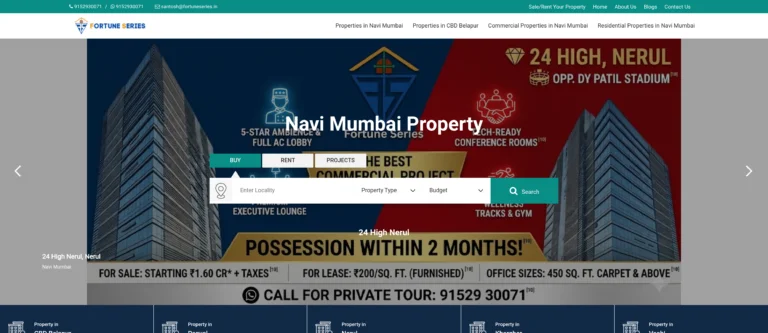 Fortune Series – Website
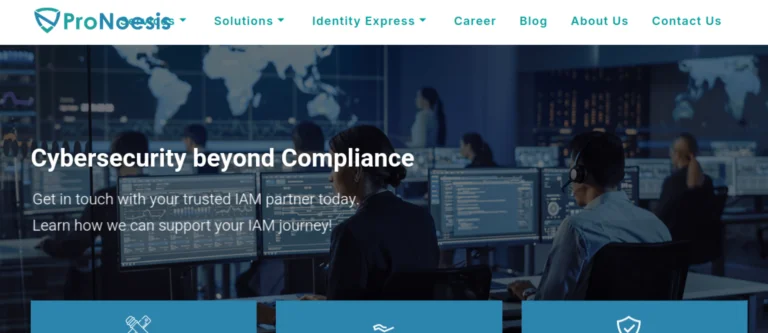 Pronoesis – Website
 Texas Spine and Pain – Website
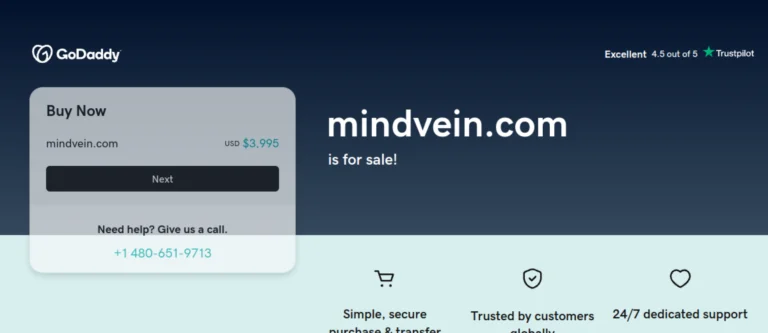 Mindvein – Website
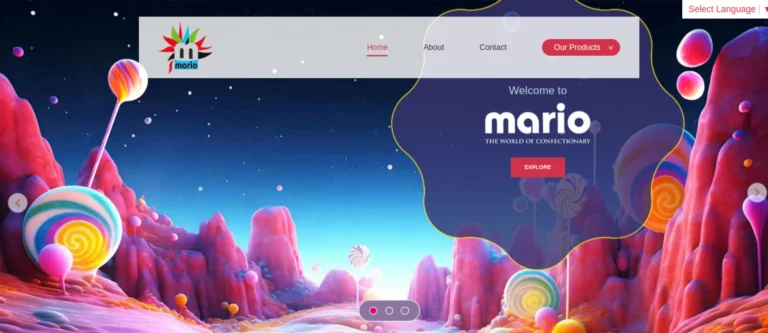 Mario Products – Website
 Spectrum Filtration – Website
 IAA India Chapter – Website
 The Premium Basket – Website
 Lamar World – Website
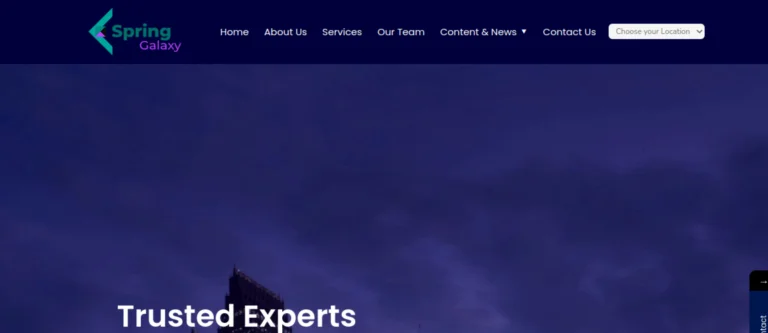 Spring Galaxy – Website
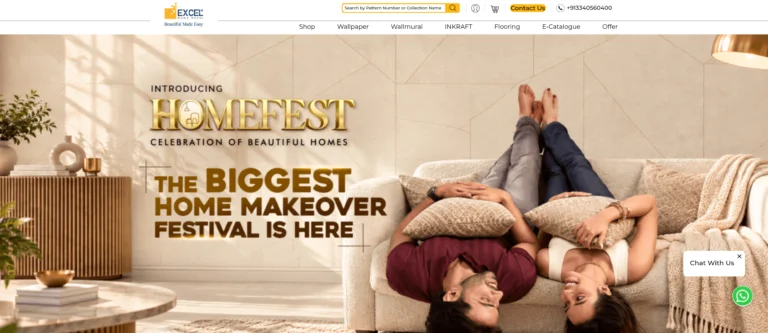 Excel Wallpapers – Website
 Siddha Group – Website
Related work from our portfolio: