Delhi NCR · Multisite · Governance
Best WordPress Development Company in New Delhi
We build WordPress websites and multisite networks for institutions and larger organisations in Delhi, Gurugram, Noida, Faridabad and Ghaziabad. The work centres on what committees and compliance teams ask about: who can publish, who approves, who can see what changed, and whether every page is usable by everyone.
Read more
The Adroit has its head office in Navi Mumbai and a team in New Delhi. Projects for NCR clients are run by that one connected team and scoped in a written proposal after discovery.
- One network, many units: each department edits its own section.
- Approval steps and an audit log for sensitive pages.
- Accessibility from the first template, not as an afterthought.
- Hosting, backups and updates planned with your IT team.
- 7+Years in digital marketing
- 120+Brands served
- 55+Team members
- 250+Projects delivered
- 100+Certifications held
Why The Adroit
Many editors, a few approvers
Institutions, healthcare groups, associations and large B2B companies where many people edit one web presence and a few people are accountable for it.
Every change leaves a trail
An audit log records who did what and when, and WordPress revisions keep earlier versions of content so a wrong edit can be reversed.
Governance written down first
Projects that stall rarely stall on code. They stall on questions nobody owned.
Progress you can see
Each step ends with something you can review, so progress is visible without reading a status report.
One connected team
Projects for NCR clients are run by that one connected team and scoped in a written proposal after discovery.
A dedicated account manager
One person to talk to, with a maximum 12-hour turnaround time (TAT).
What the New Delhi team covers
Multisite networks
Network design, domain mapping, shared design system and a central update routine.
One site, separate sites or a networkCustom and block themes
Custom themes, block patterns and conversion of Figma or PSD designs into maintainable WordPress templates.
Workflows and roles
Custom roles, approval statuses, notifications and scheduled publishing.
Roles and approvalsMigration and redesign
Moving from older WordPress, other CMS platforms or static sites, with a redirect map to protect search visibility.
Security and maintenance
Hardening, backups with restore tests, update routines and a monthly report.
Hardening and hostingIntegrations
Forms, CRM, payment gateways, SMS and single sign-on, built as integrations against your existing systems.
How a project runs
Seven steps, shown here in four groups. Each step ends with something you can review.
Discovery and structure
Interviews with content owners, IT and compliance; review of the current site, hosting and content volumes. Single site or network decision, content types, role and approval design.
Design system and build
Templates, block patterns and accessibility rules agreed before pages are built. Staging site for review, shared at agreed milestones.
Content, QA and launch
Migration of content, accessibility testing, security review, performance checks. Cut-over plan, redirects, DNS, monitoring switched on, editor training.
Handover and support
Documentation pack, update routine, maintenance arrangement if agreed.
A team in New Delhi, a head office in Navi Mumbai
The Adroit has its head office in Navi Mumbai and a team in New Delhi.
Delhi, Gurugram, Noida, Faridabad and Ghaziabad are covered by the New Delhi team.
Awards and Recognition





In short
A WordPress development company in New Delhi builds and maintains WordPress sites for Delhi NCR organisations. The Adroit has its head office in Navi Mumbai and a team in New Delhi. For institutions we specialise in Multisite networks, role-based approval workflows, WCAG 2.2 AA accessibility targets, publishing, hardened security with audit logs, and India-hosted deployments with written documentation.
Structure decision
Should you run one site, separate sites, or a WordPress Multisite network?
Multisite lets one WordPress installation host many sites that share users, plugins and themes under a single network administrator. It suits organisations whose units should look related but be edited independently. It is a poor fit when units need different plugins, different hosting, or independent release schedules.
| Question | One site | Separate WordPress installs | Multisite network |
|---|---|---|---|
| Best when | One team, one brand, one set of pages | Units differ in plugins, hosting or risk profile | Many units, one brand system, shared governance |
| Who edits | One editorial group with section-level roles | Each unit manages its own users | Each unit has its own editors; one central super admin |
| Updates | One update path | Repeated for every install | Done once for the whole network |
| Plugins and themes | Chosen freely | Chosen per site | Network-approved list; a plugin issue can touch every site |
| Backups and restores | Simple | Independent per site | Network-wide by default; single-site restore needs planning and testing |
| Domains | One | Any | Subdomains, subdirectories or mapped custom domains |
| Main risk | Page sprawl and a crowded editor menu | Drift: units fall behind on updates | Shared fate: one decision affects all sites |
Source for the Multisite feature set: WordPress.org documentation, checked Oct 2026. Whether a given plugin is network-compatible has to be tested before it is approved for the network.
What Multisite gives you
- A single design system and set of block patterns reused by every unit.
- One place to add or remove a user across sites, which helps with staff turnover.
- One update, security and monitoring routine for the whole network.
What it costs you
- A stricter plugin policy: units cannot install what they like.
- More careful staging, because a change is tested against several sites before release.
- A named owner for the network, whether in your IT team or under a maintenance arrangement set out in the proposal.
Facts for your IT team
Which WordPress and PHP versions should a new network run on?
WordPress.org states that only the latest version is officially supported, with older branches receiving backported security fixes as a courtesy. That affects how a network is planned: updates are a routine, not an occasional project.
| Item | Current position | Source |
|---|---|---|
| Latest WordPress release | 7.1.2, released 22 September 2026 (security fix) | wordpress.org releases, checked Oct 2026 |
| Recent major releases | 7.1 on 19 August 2026; 7.0 on 20 May 2026; 7.2 is proposed for 9 December 2026 | wordpress.org and make.wordpress.org, checked Oct 2026 |
| Recommended server stack | PHP 8.3 or newer, MariaDB 10.11+ or MySQL 8.0+, HTTPS | wordpress.org/about/requirements, checked Oct 2026 |
| PHP 8.2 | Security fixes only, until 31 December 2026 | php.net supported versions, checked Oct 2026 |
| PHP 8.3 and 8.4 | Security support to 31 December 2027 and 31 December 2028 | php.net supported versions, checked Oct 2026 |
| PHP 8.5 | Security support to 31 December 2029 | php.net supported versions, checked Oct 2026 |
| PHP 8.1 and older | End of life; do not use for a new build | php.net supported versions, checked Oct 2026 |
WordPress release dates can change; the 7.2 date is a proposal, not a commitment.
How a project runs
What are the steps, and what do you receive at each one?
| Step | What happens | What you receive |
|---|---|---|
| 1. Discovery | Interviews with content owners, IT and compliance; review of the current site, hosting and content volumes | Findings note and the first draft of the governance checklist |
| 2. Structure | Single site or network decision, content types, languages, role and approval design | Site map, content model, roles-and-approvals matrix |
| 3. Design system | Templates, block patterns and accessibility rules agreed before pages are built | Reviewed designs and a pattern library |
| 4. Build | Theme, patterns, custom roles, workflows, integrations and templates on a staging environment | Staging site for review, shared at agreed milestones |
| 5. Content and QA | Migration of content, accessibility testing, security review, performance checks | Test notes and a defect list that is closed before launch |
| 6. Launch | Cut-over plan, redirects, DNS, monitoring switched on, editor training | Launch checklist and trained editors |
| 7. Handover and support | Documentation pack, update routine, maintenance arrangement if agreed | Runbook, role guide, hosting notes and a monthly report where maintenance applies |
- 1DiscoveryYou receiveFindings note and first draft of the governance checklist
- 2StructureYou receiveSite map, content model, roles-and-approvals matrix
- 3Design systemYou receiveReviewed designs and a pattern library
- 4BuildYou receiveStaging site for review at agreed milestones
- 5Content and QAYou receiveTest notes and a defect list closed before launch
- 6LaunchYou receiveLaunch checklist and trained editors
- 7Handover and supportYou receiveRunbook, role guide, hosting notes
The documentation pack
- Network and hosting architecture, with who holds which credentials.
- Roles-and-approvals matrix and how to request changes to it.
- Editor guide with publishing instructions.
- Update and rollback procedure, and the list of approved plugins.
- Accessibility checklist for new content.
Engagement and cost
A fixed-scope project suits a well-defined build; time-and-material suits evolving needs; a dedicated team suits a long programme across many units. Which one applies is agreed in the proposal. We do not quote from this page: the price is driven by the number of sites, languages, custom workflows, integrations, content to migrate and the accessibility audit scope, and is set after discovery.
What we deliver
Which WordPress services does the New Delhi team cover?
Multisite networks
Network design, domain mapping, shared design system and a central update routine.
Custom and block themes
Custom themes, block patterns and conversion of Figma or PSD designs into maintainable WordPress templates.
Workflows and roles
Custom roles, approval statuses, notifications and scheduled publishing.
Migration and redesign
Moving from older WordPress, other CMS platforms or static sites, with a redirect map to protect search visibility.
Security and maintenance
Hardening, backups with restore tests, update routines and a monthly report. What is included is set out in the proposal.
Integrations
Forms, CRM, payment gateways, SMS and single sign-on, built as integrations against your existing systems.
Findability is part of the build. Our SEO team in New Delhi and the GEO and AIO team work from the same structured content, headings and schema that the site is built on.
Want this for your business? Talk to Us
Questions
FAQs
Yes. The Adroit has its head office in Navi Mumbai and a team in New Delhi, alongside teams in Mumbai, Bangalore. For Delhi NCR work the project is planned and delivered by one connected team, and we serve organisations in Delhi, Gurugram, Noida, Faridabad and Ghaziabad. Discovery, reviews and training sessions are held by video call. Projects are priced after discovery, not from this page.
Choose Multisite when several units, such as departments, campuses or facilities, need their own editors and sections but should share one design system, one plugin list and one update routine. Choose separate installs when units need different plugins, hosting or release schedules, or when one unit's risk profile should be isolated from the rest. A single site is enough when one editorial group runs everything. We settle this in discovery by listing who edits what and how often each unit changes its pages.
WordPress core gives you Contributor, Author, Editor and Administrator roles, which cover simple cases. For multi-step approval we add custom roles such as Reviewer and Approver, extra content statuses like in review and approved, and notification emails to the next person in the chain. Sensitive content types can block self-approval, so the writer cannot be the final approver. The exact chain, including who covers when an approver is away, is agreed with your communications or compliance lead before development begins.
WordPress can be built to meet WCAG 2.2 level AA, and we use that as the design and testing target. Contrast, focus states, heading structure and form labels are set in the theme and block patterns, so editors cannot easily break them. We test key templates with a keyboard, a screen reader and page zoom before launch. Conformance is a claim an independent audit confirms, so where your procurement requires evidence, we recommend an external accessibility audit and fix what it finds.
Yes. We can deploy to a managed WordPress host or a cloud server in an Indian region, or to your own data centre if your policy requires it. First we ask what your policy or contract actually requires: some organisations need the site and database in India, others only need personal data kept there. Whether a law applies to you is a question for your compliance counsel. We then set the hosting region, backup location and log storage to match what they specify.
In a build we apply least-privilege roles, two-factor authentication for administrators, a web application firewall with rate limiting, hardened file permissions, a short vetted plugin list and tested backups. An activity log records sign-ins, role changes, plugin and theme changes and publishing events, with user, time and IP address. These controls lower risk but cannot make a site immune. Retention periods for logs and backups are set with you, and updates follow a routine that is tested on staging first.
A documentation pack is part of the delivery plan. It covers the network and hosting architecture, who holds which credentials, the roles-and-approvals matrix, an editor guide with publishing instructions, the update and rollback procedure, the approved plugin list and an accessibility checklist for new content. Exactly what is handed over, and in what format, is written into the proposal so your procurement or audit team can check it against the contract at the end of the project.
It depends on scope, so treat any figure as a typical range. A focused institutional site with custom templates is commonly 8 to 14 weeks. A network adds time for each additional site, language and integration, and for content migration, which is often the slowest part because it depends on your content owners. Accessibility testing and approval-workflow design also add time. After discovery we give a phased plan with milestones, so units can go live in stages rather than all at once.
More questions (1)
WordPress.org says only the latest version is officially supported, so a network needs an update routine. As of October 2026 the latest release is 7.1.2, from 22 September 2026, and the next major, 7.2, is proposed for 9 December 2026. We test updates on staging, check that approved plugins remain compatible, apply them to the live network and confirm backups first. Typical plan contents are updates, backups with restore tests, monitoring and a monthly report; what is included in our plans is set out in the proposal.
Read the full guide
5 sections with the detail behind this page
Read the full guide
5 sections with the detail behind this pageThe detail behind this page, section by section. Open any heading to read it; everything stays on this page.
Which Delhi NCR organisations need more than a brochure site?
Which Delhi NCR organisations need more than a brochure site?
Who this page is for
Most WordPress agencies pitch a single marketing site. The requests we hear from Delhi NCR are different: a university with eleven departments that each want their own pages, a hospital group with a site per facility and one brand, an association with a members-only area and a press office, or a large B2B manufacturer that publishes product documentation in two languages. In each case the hard part is not the design. It is deciding who is allowed to change what, and proving afterwards that the rules were followed.
That is the work we position this team for: institutions, healthcare groups, associations and large B2B companies where many people edit one web presence and a few people are accountable for it. If you need a simple five-page site, our website development team in New Delhi covers that, and the general WordPress material sits on our WordPress development services page.
WordPress is a sensible base for this because it already ships with a user-role system, scheduled publishing, revisions and a built-in Multisite mode. According to W3Techs (checked Oct 2026) WordPress runs on 40.2% of all websites, so editors and developers who know it are easy to find, which matters when a project outlives the team that built it.
It is not the answer to every institutional requirement. Case-management systems with complex transactional logic are better built as a custom application, and for those we point buyers to our PHP development team in New Delhi. We say so at discovery rather than stretching a CMS past its strengths.
- DelhiAssociations, universities, trusts and head offices with many contributors.
- GurugramCorporate and professional-services groups with multi-brand sites.
- NoidaEducation campuses, media and technology firms publishing at volume.
- FaridabadManufacturers and engineering firms with product and dealer content.
- GhaziabadIndustrial and education groups needing multi-unit sites.
How do roles and approvals work in a multi-editor WordPress site?
How do roles and approvals work in a multi-editor WordPress site?
Editorial governance
WordPress core defines Contributor, Author, Editor and Administrator, and on a network, a Super Admin above them. Out of the box a Contributor can write but not publish, an Author can publish their own posts, and an Editor can publish anyone's. That is a start, but it rarely matches a real approval chain.
Institutional sites usually need an extra step in the middle, a reviewer who can check and return content but not publish it, and a final approver who is not the person who wrote it. We implement that with custom roles and capabilities, a draft, in-review and approved status flow, and notification emails to the next person in the chain. The exact states and who sits in each are agreed with your communications or compliance lead before development begins.
Two principles guide the setup. First, least privilege: nobody gets a capability they do not need, and administrator accounts are few, named and protected with two-factor sign-in. Second, separation of duties for sensitive pages such as tender notices, fee structures, policy documents or press statements, where the author cannot also be the final approver.
Every change then leaves a trail. An audit log records who did what and when, and WordPress revisions keep earlier versions of content so a wrong edit can be reversed.
| Role | Create drafts | Edit others' content | Submit for review | Approve and publish | Manage users | Network settings |
|---|---|---|---|---|---|---|
| Contributor | Yes | No | Yes | No | No | No |
| Reviewer (custom) | Yes | Yes | Returns or forwards | No | No | No |
| Approver (custom) | Optional | Yes | n/a | Yes | No | No |
| Site administrator | Yes | Yes | Yes | Yes | Own site | No |
| Network super admin | Yes | Yes | Yes | Yes | All sites | Yes |
Contributor, Author, Editor, Administrator and Super Admin are WordPress core roles. Reviewer and Approver are custom roles we would define with you; their names and powers vary by organisation.
A typical approval route for a sensitive page
- DraftDepartment contributor writes in the block editor.
- ReviewReviewer checks facts, tone and accessibility notes.
- ApproveNamed approver signs off; self-approval is blocked.
- SchedulePublish immediately or at a set date and time.
- LogAudit entry and revision saved for later review.
What should be written down before the first page is built?
What should be written down before the first page is built?
Governance checklist
Projects that stall rarely stall on code. They stall on questions nobody owned. We use this list in discovery and record the answers in the proposal.
- A named owner for the website and a named deputy, for when the owner changes role.
- The list of content types, and which of them need a second pair of eyes before they go live.
- The approval route for each sensitive content type, including who may approve when the approver is away.
- A joiner-mover-leaver routine: who requests an account, who removes it, and how often accounts are reviewed.
- The accessibility target (WCAG 2.2 AA) and who checks new content against it.
- Where the site is hosted, who has server access, and who receives security alerts.
- How long audit logs and backups are kept, and who may request them.
- Rules for plugins: who may request one, who vets it, who approves it for the network.
- The update routine: how quickly security releases are applied, who tests them on staging and who signs off.
How does accessibility fit into the build?
How does accessibility fit into the build?
Accessibility
Accessibility, built in and checked
We design to WCAG 2.2 level AA as the target. WCAG 2.2 adds criteria that matter for institutional sites, among them focus that is not hidden behind sticky headers, larger minimum touch targets, and accessible sign-in. A target is not the same as certification: formal conformance is confirmed by an audit, and where your procurement refers to government guidelines such as GIGW we map our checks to them and recommend an independent audit.
- Colour contrast and visible focus states decided in the design system, not left to each editor.
- Block patterns that force headings, link text and image alternatives into the editing flow.
- Keyboard, screen-reader and zoom testing on key templates before launch.
- Accessible PDFs and forms are flagged separately, since uploaded documents are often the weakest link.
How do you harden a WordPress network and choose hosting in India?
How do you harden a WordPress network and choose hosting in India?
Security and hosting
Security for an institutional site is mostly a set of dull, repeatable controls. In a build we apply least-privilege roles, two-factor authentication for administrators, a web application firewall with rate limiting on login and form endpoints, hardened file permissions, a short and vetted plugin list, automatic and tested backups, and activity logging. These reduce risk; they do not make a site immune, and we do not promise otherwise.
Audit logs deserve a note. A useful log captures sign-ins, role changes, plugin and theme changes, content publishing and setting changes, with the user, time and IP address, and it is stored where an attacker with site access cannot quietly erase it. How long it is kept is a policy decision for your organisation.
On data residency, the first question is what your policy or contract requires. Some organisations need their site and database in an Indian data centre; others only need personal data kept in India. Whether a legal obligation applies is a question for your compliance counsel, and we set the hosting region to whatever they specify.
The right hosting depends more on the network's size and your IT team than on brand names. The table sets out the usual options.
| Option | Suits | Watch for |
|---|---|---|
| Managed WordPress host with an Indian region | Single sites and small networks with a small IT team | Confirm Multisite support, staging, backup retention and where backups are stored |
| Cloud virtual servers in an Indian region | Networks and multi-unit sites needing tuned caching and custom stacks | Someone must own patching, monitoring and backups; this is a maintenance commitment |
| Your own or a colocated data centre | Organisations whose policy requires hosting inside their infrastructure | Longer setup, your change-control process and a supported PHP version are required |
| Shared hosting | Very small, low-risk sites | Rarely suitable for a network or for sites with audit and uptime expectations |
Discuss your network
Projects for NCR clients are run by that one connected team and scoped in a written proposal after discovery.
What's More
How Are We Different?
Dedicated Account Manager
SEO Enabled Websites
Responsive Websites
Site Security Upgrades & Maintenance
Website Speed & Performance Optimization
Timely Delivery
Easy to use CMS
Google PSI Score Above 80
Maximum 12 Hours TAT
Secured & Optimised Website Delivery
15 Days Cooling Period
Your Success, Our Reputation
120+ brands have trusted us with their marketing and websites over 7+ years.
Here are some of the clients we have worked with.























































Latest and Greatest Posts

The Adroit Reviews
Rated 5.0 from 19 client reviews on Clutch. Read our Clutch profile
Contact Us for More
We've worked with clients of all sizes, all across the World. Starting from enterprises to startups. Let's talk about your project and how we can help provide value to it on Digital.
Work That Works
A selection of recent campaigns, websites, reels and emailers delivered for our clients.
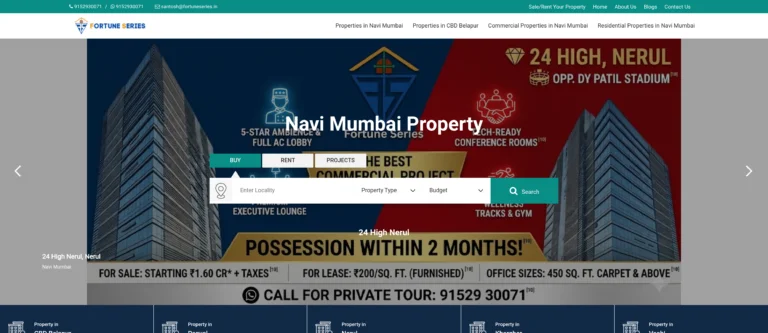 Fortune Series – Website
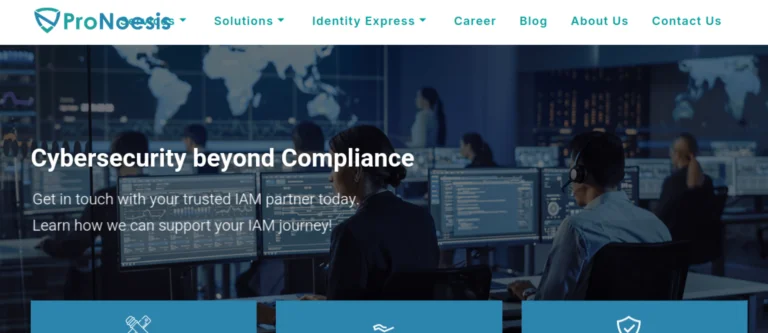 Pronoesis – Website
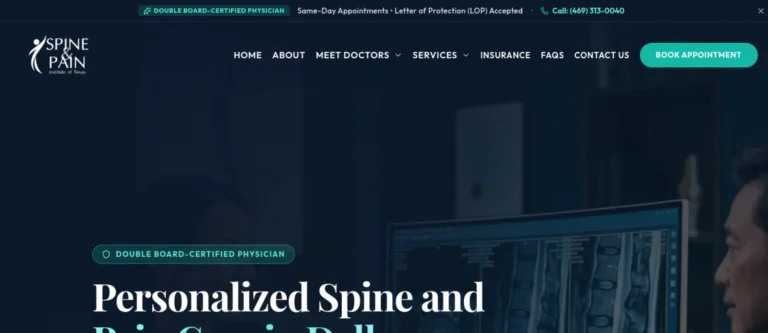 Texas Spine and Pain – Website
 Mindvein – Website
 Mario Products – Website
 Spectrum Filtration – Website
 IAA India Chapter – Website
 The Premium Basket – Website
 Lamar World – Website
 Spring Galaxy – Website
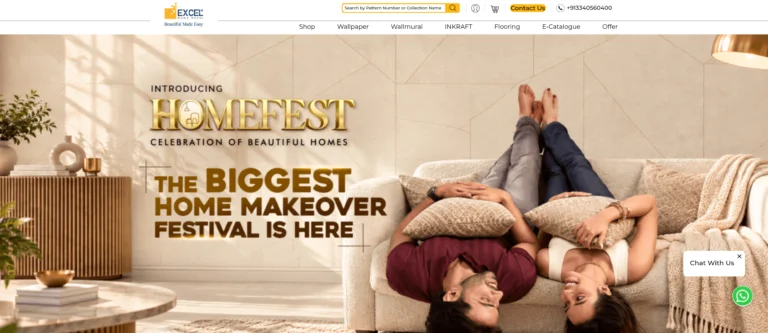 Excel Wallpapers – Website
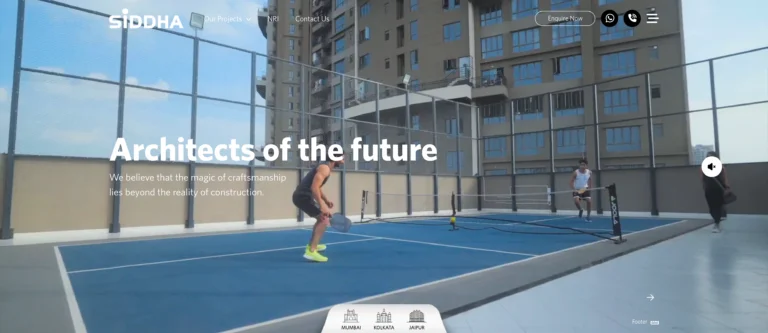 Siddha Group – Website
Related work from our portfolio: